Live printer monitoring
State, progress, layers, temperatures, AMS spools, errors and the camera, reported by the printer itself. Progress never comes from a timer.
Shop orders become plates in your print queue. Farmit watches every printer live, starts the next job only under your rules and keeps stock, filament and shipping in step.
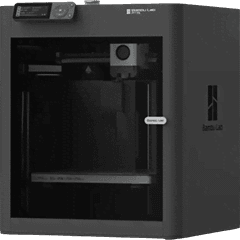
P1S-1
Bambu Lab P1S
Printing
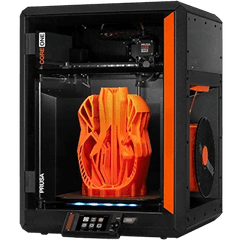
CORE-1
Prusa CORE One
Printing
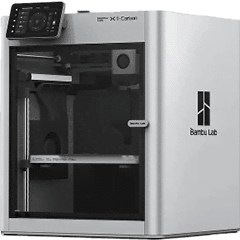
X1C-1
Bambu Lab X1 Carbon
Ready
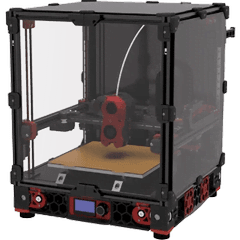
V24-1
Voron 2.4
Check
Incoming
How it works
01
Shop orders are imported with their SKUs. Farmit works out what is missing after stock and what is already printing.
02
Each product has a versioned recipe: G-code per printer model, units per plate and material. AutoPrint sends a plate only when every check passes.
03
The printer's own report marks a plate finished. Units go to stock, are reserved for the order and leave with a tracking number sent back to the shop.
Features
Everything a farm that sells its prints needs, from the first order to the parcel.
State, progress, layers, temperatures, AMS spools, errors and the camera, reported by the printer itself. Progress never comes from a timer.
Each product keeps sliced G-code for every model it prints on. A model without a file never gets that product.
Your rules decide which printers, recipes and materials may start by themselves, in which hours and how many at once.
Spools with grams left, matched to AMS slots. SKUs with stock, reservations and targets, so nothing is sold twice.
Orders and stock with WooCommerce and Allegro; Shopify, eBay and Etsy through their official APIs, with verified webhooks.
Requirements from orders and low stock, plates queued and assigned, output added once, tracking sent back to the shop.
Farmit gateway
Install it with one command on a Raspberry Pi or an always-on computer. It talks to every printer in your network and to Farmit.io over outbound HTTPS only.
Safety first
Before every start, Farmit runs these checks. If a printer does not confirm a start, Farmit never sends it again on its own.
Pricing
Every plan has live monitoring, G-code per printer model, the print queue, inventory, filament, orders and shipping. Automation, API access and team accounts come with the paid plans.
Free
119,99 PLN / month
499,99 PLN / month
Prices are monthly, in PLN, VAT included. A lock marks what a plan does not include; it unlocks when you upgrade, and your settings stay as they are.
Who it is for
You sell on Allegro, Etsy or your own WooCommerce shop and print to order. Farmit turns every order into plates, tells you what to print next and records what is in stock.
Several printers, many SKUs, some products printed in parts. Recipes say exactly which G-code makes which product on which printer model, and AutoPrint keeps idle printers busy.
On the Farm plan the owner adds people with their own login and a role: owners run everything, admins manage products and files, operators run the queue and record stock.
In detail
Guides
FAQ
Something else? The guides go into detail, from LAN mode to pricing your prints.
Bambu Lab printers connect live over your local network (A1 mini, A1, A2L, P1P, P1S, P2S, X1, X1 Carbon, X1E, X2D, H2S, H2D, H2D Pro, H2C). Prusa (PrusaLink), Klipper (Moonraker) and OctoPrint printers connect through the Farmit gateway. Any other printer can be tracked by hand, with progress clearly marked as an estimate.
No. You slice in Bambu Studio, OrcaSlicer or PrusaSlicer and upload the .gcode for each printer model. The file that prints is exactly the one you checked in your slicer.
No. The gateway runs inside your network and only makes outbound HTTPS connections to Farmit.io. Printers, Access Codes and passwords never leave the workshop.
Only if you allow it. AutoPrint is off until the farm owner turns it on, chooses printers, recipes and materials, and verifies the configuration. Before each start every safety check runs again.
The printer's report marks the plate failed. Nothing is added to stock unless you record usable parts, and the printer waits until someone clears the bed and marks the problem solved.
Only people in your farm. Platform administrators manage accounts and subscriptions and do not see your printers, files, orders or production.
Starter is free and needs no card. Paid plans are chosen inside the app under Plan and billing, paid by card and charged monthly.
Your whole 3D print farm in one panel. Free for 2 printers.