What print farm management software should do
A print farm is more than a few printers on a shelf. Every day someone decides what to print next, on which printer, with which filament, and whether the plate that just finished is good enough to sell. Most farms do this with a spreadsheet and a lot of walking between printers.
Farmit takes over the parts a computer does better: it knows which printer is idle, which file is prepared for which printer model, which spool is loaded in which AMS slot, how many units each order still needs and what is already in stock.
Everything a farm needs, connected
- Live printer monitoring: state, progress, layers, temperatures, AMS trays, errors and a camera view for Bambu Lab printers.
- A print queue with priorities and deadlines, and AutoPrint that starts plates on idle printers only when every safety check passes.
- G-code per printer model, so a P1S never receives a file sliced for an A1.
- Product stock with reservations, filament spools with grams left, low-stock alerts.
- Orders from WooCommerce, Allegro, Shopify, Etsy and eBay, with tracking numbers sent back to the shop.
- Maintenance tasks by print hours, utilization per printer, team roles and a REST API on the paid plans.
Mixed fleets through one small gateway
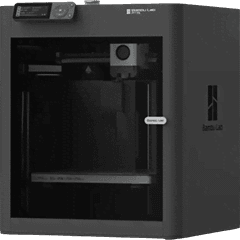
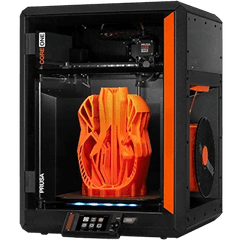
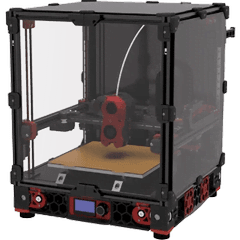
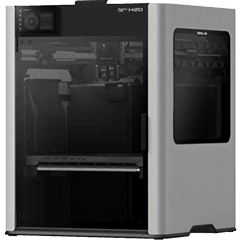
Printers stay in your local network. A small gateway program on a Raspberry Pi or an always-on PC talks to them and keeps Farmit up to date over an outbound HTTPS connection, so you open no ports on your router. Bambu Lab printers connect over LAN; Prusa printers through PrusaLink; Voron, Sovol, QIDI, Elegoo and other Klipper printers through Moonraker; anything else through OctoPrint.
Built for printing to order
Farmit was built for farms that sell what they print. An order from your shop becomes a requirement, the requirement becomes plates in the queue, finished plates add stock exactly once, and a parcel is ready when every unit is in stock. You check quality; Farmit does the bookkeeping.
How Farmit runs a print farm, step by step
- 1Install the gateway on a Raspberry Pi or an always-on computer in your workshop network. One command, about ten minutes.
- 2Add your printers on the gateway: Bambu Lab over LAN, Prusa through PrusaLink, Klipper printers through Moonraker, anything else through OctoPrint.
- 3Upload the files you sliced for each printer model and link them to products, so Farmit knows which plate makes which units.
- 4Connect your shops. New orders become requirements, reserved from stock where units are ready and queued as plates where they are not.
- 5Confirm the bed is clear and start the plate, or let AutoPrint start it on the next idle printer that passes every check.
- 6When the plate finishes, confirm the parts. Stock grows exactly once, and the order is ready to ship with its tracking number sent back to the shop.
Spreadsheets, vendor apps or print farm software?
Most farms start with a spreadsheet and the printer maker's app. That works for a few printers of one brand. It stops working when the farm mixes brands, when several orders compete for the same printers, or when nobody can say how many units are in stock without counting the shelf.
Vendor apps control their own printers well, but they do not know your shop orders or your stock. General production software knows orders, but it cannot see a printer. Print farm software sits between the two: it sees every printer live and knows what the farm has to make today.
Who Farmit is for
- Makers selling on Etsy, Allegro, eBay or their own WooCommerce or Shopify store who want orders to reach the printers without retyping them.
- Growing print farms with 5 to 50 printers of mixed brands that need one queue, one stock count and fewer walks between machines.
- Workshops where several people run shifts: on the Farm plan, team members get roles, and starts and confirmations are recorded with who made them.
Plans
Starter is free for up to 2 printers and already includes monitoring, the print queue, inventory, orders and shipping. Pro covers up to 10 printers and adds automation, AutoPrint and the API. Farm has no printer limit and adds a team of up to 5 people. Current prices are on the pricing section of the home page.
Questions
Is there a free plan?
Yes. The Starter plan is free for up to 2 printers and includes monitoring, the print queue, inventory, orders and shipping. Pro (up to 10 printers) adds automation, AutoPrint and the API; Farm adds unlimited printers and a team.
Does Farmit slice models?
No. You slice in Bambu Studio, OrcaSlicer or PrusaSlicer and upload the result for each printer model, so the file that prints is exactly the one you checked.
Do my printers need to be online?
They need to be in the same network as the gateway. The gateway connects out to Farmit over HTTPS; printers are never exposed to the internet.
Which printers does Farmit support?
Bambu Lab printers over LAN (A1, P1S, P2S, X1C, H2D and more), Prusa printers with PrusaLink (MK4S, CORE One, XL, MINI+), Klipper printers through Moonraker (Voron, Sovol, QIDI, Elegoo, Creality K1 with root access) and any printer that runs OctoPrint.
What happens if the internet goes down?
Printers keep printing what they started. The gateway reconnects on its own, and a command that expired while it was offline is not run late.
How long does setup take?
About ten minutes for the gateway and a few minutes per printer. The Setup page in Farmit writes the install command for you.